
How to Auto-Upload Your Old Instagram Reels to Your FB Page
Did you know you can send all your old Instagram Reels straight to your Facebook Page at once, without uploading each one manually? Instagram has a built-in feature that handles this for you automatically. Here’s how to set it up.
What Is This Feature?
Instagram lets you share your past Reels to a connected Facebook Page in bulk. Instead of reposting old content one video at a time, you can select a batch of Reels and let Meta handle the rest. This is a great way to fill up your Facebook Page with content you’ve already created, without any extra editing or re-uploading work.
Why Use This Feature?
If you’ve been posting Reels for a while, chances are your Facebook Page doesn’t have all of that same content. This feature saves you from manually downloading and re-uploading old videos one by one. It also helps keep both platforms active with consistent content, which can improve your reach and engagement over time.
What You Need Before You Start
Make sure your Instagram account is set up as a Professional account (Creator or Business), and that it’s already linked to a Facebook Page. Without that connection in place, this option won’t appear in your settings.
Step 1: Open Your Instagram Profile
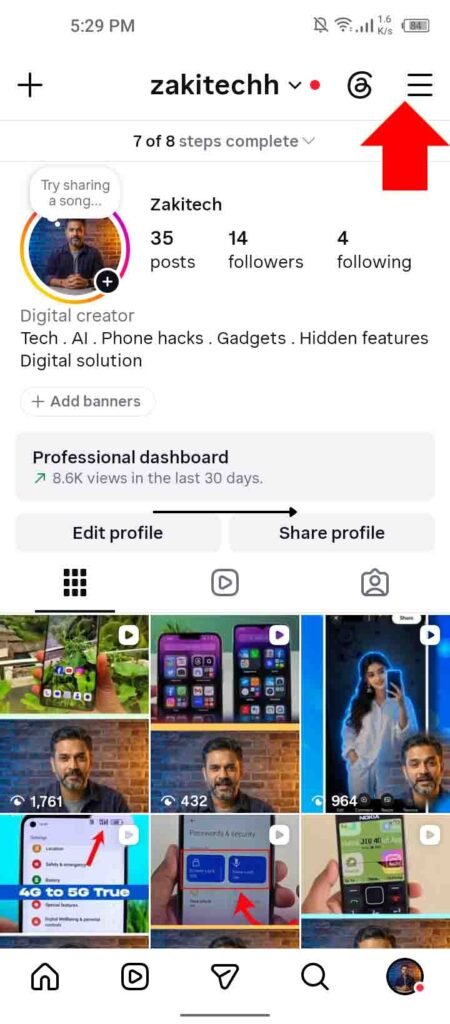
Go to your Instagram profile and tap the three lines in the top corner to open your menu.
Step 2: Go to Your Professional Dashboard
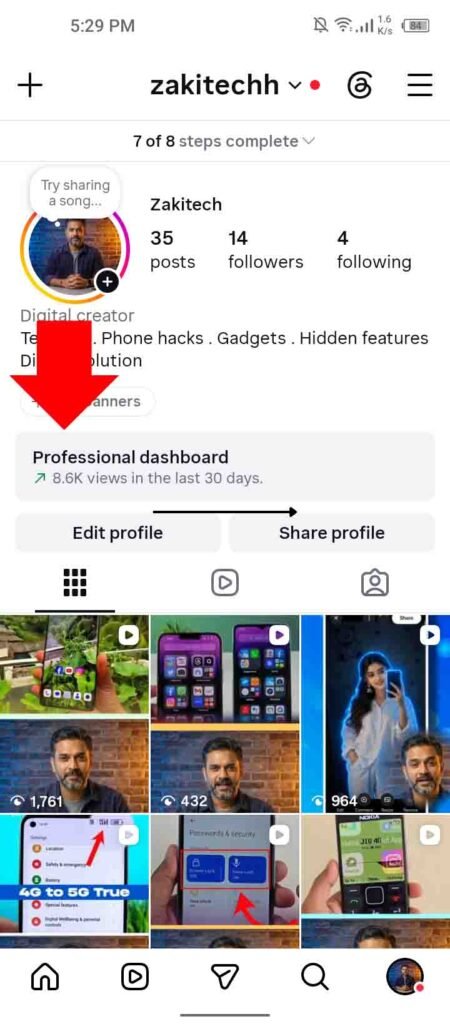
From the menu, select Professional Dashboard. This is where most of Instagram’s creator and business tools live.
Step 3: Open Creator Tools in Settings
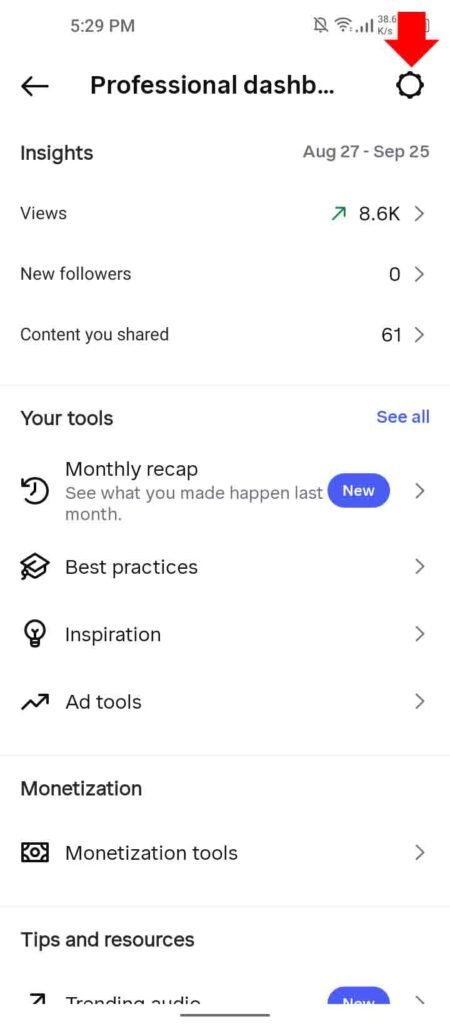
Inside the dashboard, go to Settings, then tap Creator Tools.
Step 4: Select “Share Past Reels to Facebook”
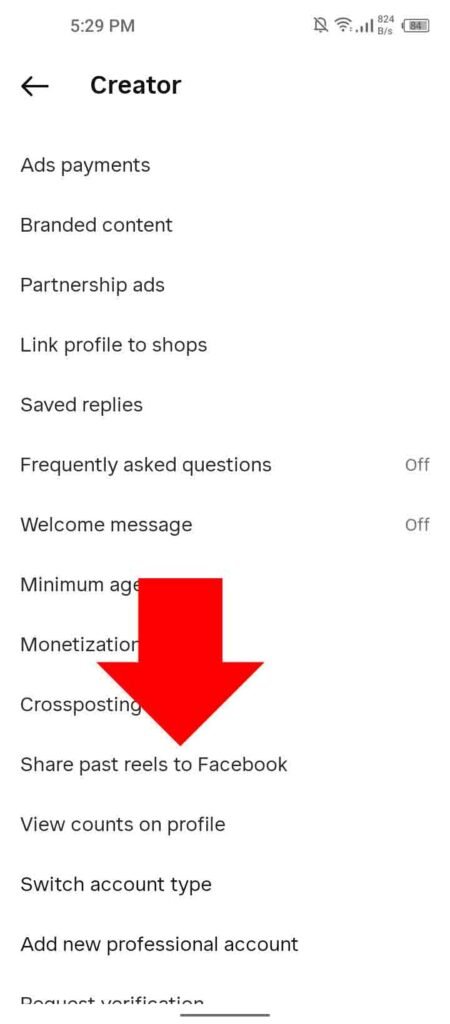
Look for the option called Share Past Reels to Facebook and tap it. This is the setting that connects your old Instagram content to your Facebook Page.
Step 5: Choose Which Reels to Share

Pick the old Reels you want to send over. If you select a large number, Meta won’t post them all instantly. Instead, it automatically schedules them to roll out gradually over the next 30 days.
What Happens After You Select Your Reels
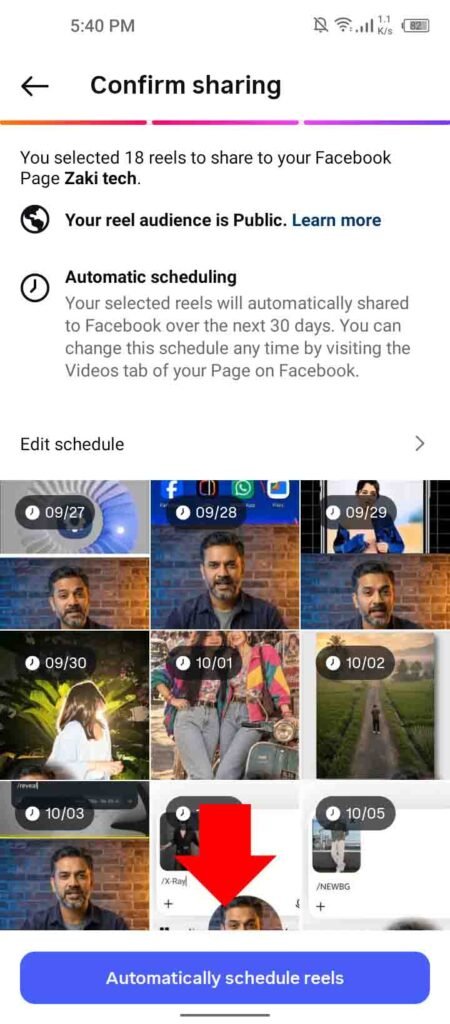
Once you confirm your selection, Meta takes over the process. You don’t need to keep checking in or manually trigger each upload. Reels get spaced out automatically, so your Facebook Page doesn’t get flooded with dozens of posts on the same day.
Things to Keep in Mind
Since Meta spreads out the uploads over 30 days, it’s a slower process by design, so don’t expect everything to appear on Facebook right away. It’s also worth reviewing your selected Reels beforehand, since older content might not fit your current Page’s tone or theme.
Final Thoughts
This feature makes it easy to give your old Reels a second life on Facebook without any manual work. Set it up once, choose your Reels, and let Meta handle the scheduling for you. For more daily tech and AI tips like this, follow the page, and don’t forget to save this post for later.