Rolling Icons App: Make Your Android Home Screen Move and Roll
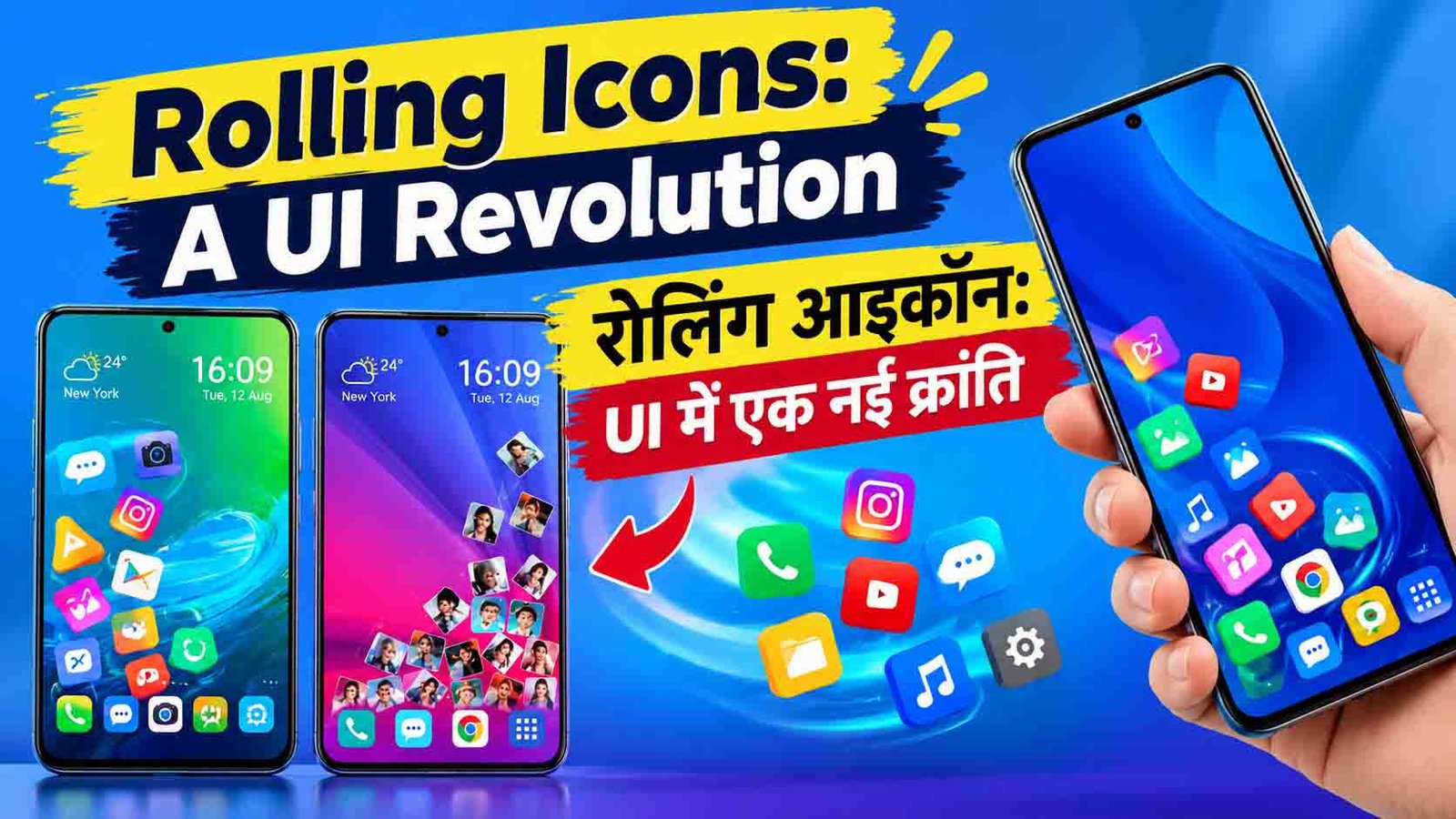
Is your home screen starting to feel boring? The same grid of icons day after day can get old fast. The Rolling Icons App tries to fix that. It turns your plain, still icons into moving ones that roll, spin, and react when you tilt or swipe your phone. Here is a simple guide to what this app does and why people like it.
What Is the Rolling Icons App?
The Rolling Icons App is a mobile app that changes how your home screen looks and feels. Normally, your app icons sit still in neat rows. With this app, they move around the screen like real objects. They roll when you tilt your phone, spin when you swipe, and bounce around in a fun way.
It is not only about looks, though. The app also gives you new ways to move around your phone, using motion and gestures instead of just taps.
Key Features
Rolling Physics
Your icons act like real objects. They react to gravity and movement, so when you tilt your phone, they roll in that direction.
Custom Skins and Themes
You can change the shape, color, and rolling style of your icons. This lets you build a home screen that matches your own taste.
Gesture Support
Swipe, shake, or tilt your phone to move icons around. You can also set certain gestures to open apps or perform actions.
Motion Sensor Effects
The app uses your phone’s motion sensors to make your icons react. You can pick which effects you want and how strong they should be.
Good Performance and Battery Use
Even with all the animations, the app is built to run smoothly. It tries to keep battery use low, so your phone does not slow down.
Accessibility Options
Not everyone likes a lot of movement. The app lets you change the motion sensitivity, so people who want less movement can turn it down.
How to Set Up the Rolling Icons App
Setting it up is quick and easy.
- Open the Google Play Store on your phone.
- Search for “Rolling Icons App” and tap Install.
- Open the app once the download finishes.
- Allow any permissions the app asks for.
- Choose a theme or skin you like.
- Adjust the rolling style and motion settings.
- Set the app as your home screen or enable it as instructed.
- Go back to your home screen and tilt your phone to see the icons move.
Menu names and steps may be a little different depending on the version of the app and your phone.
Why People Like It
A Fresh Look
A moving home screen looks very different from the usual static one. It feels fun and a little like a game.
Express Your Style
Your home screen no longer has to look like everyone else’s. You can make it your own with custom colors, shapes, and effects.
Fun to Use
Tilting, shaking, and swiping make everyday phone use more playful. Many people enjoy it just as a way to relax.
Who Is This App For?
- People who are bored with a plain home screen
- Android users who love customization
- Younger users and creative people who like playful designs
- Anyone who wants a unique phone setup
Tips for the Best Experience
- Start with low motion settings. You can turn them up later once you get used to it.
- Keep your home screen tidy. Too many icons moving at once can look messy.
- Check your battery. Animated screens can use more power, so switch to a simple theme when your battery is low.
- Update the app often. New versions can fix bugs and add new themes.
Is It Safe?
As with any customization app, download it only from the Google Play Store. Read the reviews, check the permissions it asks for, and keep it updated. Be careful with any app that asks for access that does not match what it does.
Common Questions
Does it work on all Android phones?
It works on many Android phones, but it may run better on newer ones. Compatibility can depend on your phone and Android version.
Will it drain my battery?
Animated screens can use a bit more battery than still ones. The app is designed to be light, and you can lower the effects to save power.
Can I reduce the movement?
Yes. You can change the motion sensitivity, which is helpful if you prefer less movement.
Can I go back to my normal home screen?
Yes. You can turn the app off or switch back to your usual home screen at any time.

Final Thoughts
The Rolling Icons App shows that a home screen does not have to be boring. By adding movement, gestures, and custom looks, it turns everyday phone use into something more fun. If you want to try something different with your Android phone, this app is worth a look.