Charging Animation 2026 – Add Your Photo to Charging Screen
Phone customization keeps getting more creative, and in 2026, one trend stands out above the rest: charging animation apps. These apps take your plain, boring charging screen and turn it into something stylish, animated, and personal. The newest charging animation apps even let you use your own photo right on the charging screen, no matter what phone you have.
This guide walks you through how these apps work, what they offer, and how to use them safely.
What Is a Charging Animation App?
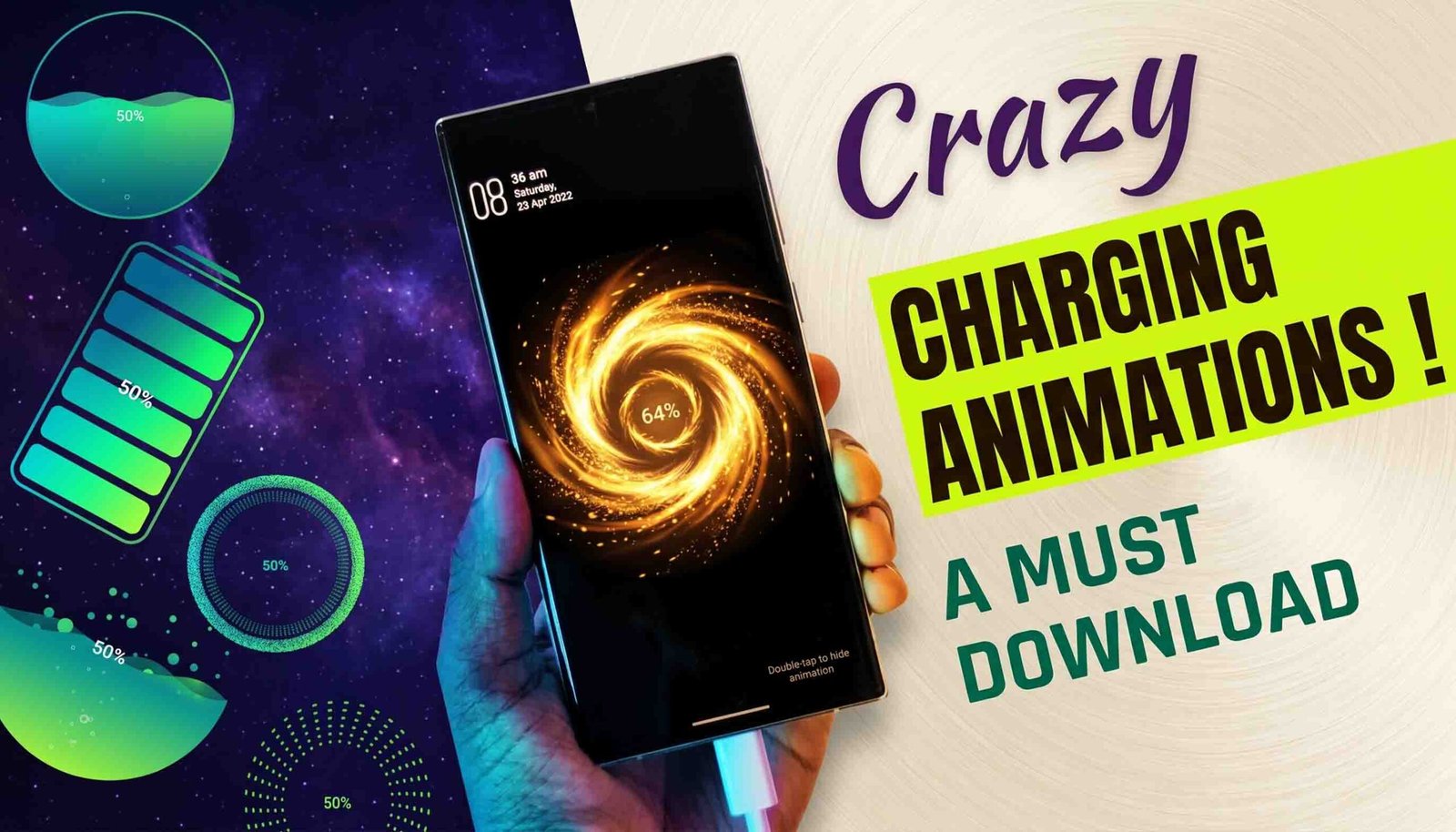
A charging animation app shows custom visuals, effects, or images the moment you plug your phone into a charger. Instead of the plain system battery icon, you get something more eye-catching, like glowing rings, animated battery effects, neon designs, or even a photo of your choice.
These apps work on most Android phones and tablets, and you don’t need to root your device to use them.
What’s New in Charging Animation Apps for 2026?
This year’s charging animation apps are more polished and flexible than earlier versions.
Latest Features
- Add your own photo to the charging screen
- HD and 4K animation quality
- A live battery percentage display
- Sound and vibration effects
- Fast-charging detection
- Support for wireless charging
How to Add Your Photo to the Charging Screen
Setting your own photo as your charging screen only takes a few steps.
Step-by-Step Guide
- Install a trusted charging animation app from the Google Play Store.
- Open the app and allow the permissions it asks for.
- Select the Custom Photo or Gallery Image option.
- Choose the photo you want to use.
- Adjust the size, animation style, and position to your liking.
- Turn on the charging animation.
Once this is set up, your chosen photo appears with animated effects every time you plug in your charger.
How Charging Animation Apps Work
These apps rely on system event detection to know exactly when your phone gets connected to power. As soon as charging begins, the app displays your chosen animation as an overlay on your screen.
When used correctly, these apps don’t affect your battery health or how fast your phone charges.
Is Charging Animation Safe for Your Phone?
Yes, charging animation apps are safe as long as you download them from verified developers through the Google Play Store.
Safety Tips
- Stay away from modded or cracked versions.
- Turn off the animation once your battery is full.
- Choose apps known for low battery usage.
- Always review the permissions an app asks for.
Well-built apps in 2026 are optimized to run smoothly without causing your phone to overheat.
Benefits of Using Charging Animation Apps
- A charging experience that feels personal
- Stylish, modern visuals
- Simple setup with no root required
- Works across most Android devices
- Great for sharing on social media
Adding your own photo makes even a routine moment, like charging your phone, feel more personal and unique.
Charging Animation vs. Default Charging Screen
| Feature | Charging Animation App | Default Screen |
|---|---|---|
| Custom Photos | Yes | No |
| Animation Styles | Multiple | Limited |
| Personalization | High | Low |
| Visual Appeal | Modern | Basic |
Best Devices for Charging Animation Apps
Charging animation apps run well on a wide range of Android devices, including:
- Samsung Galaxy phones
- Xiaomi and Redmi devices
- OnePlus smartphones
- Oppo and Vivo phones
- Realme Android devices

Keep in mind that compatibility can vary depending on your Android version and any system restrictions your device has.
Final Thoughts
Charging animation apps in 2026 offer a fun, creative way to give your phone a personal upgrade. Being able to add your own photo to the charging screen sets these apps apart from older customization tools. If you enjoy personalizing your phone and want even small moments like charging to feel stylish, this is a trend worth trying for yourself.